
v0
It finds what is running
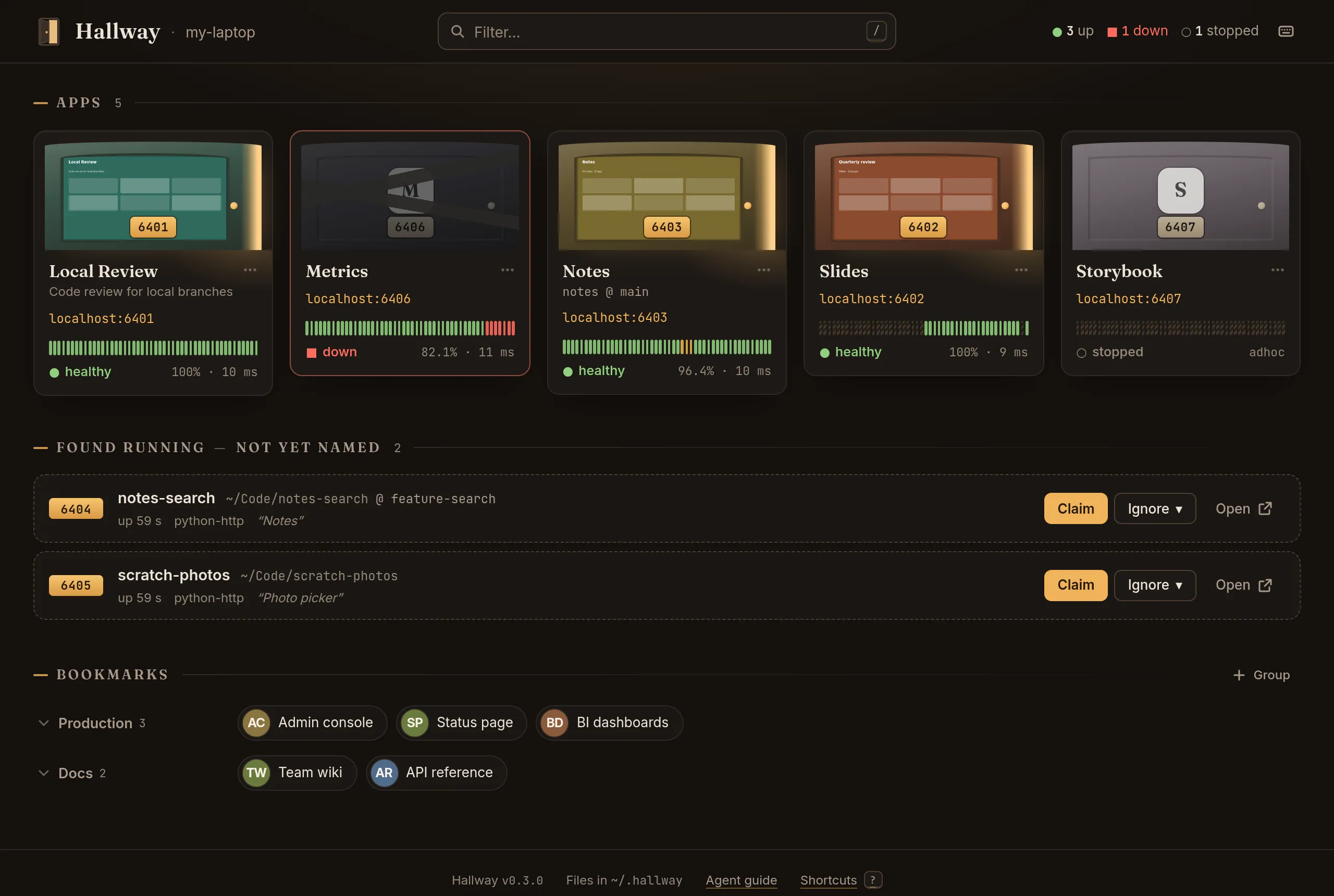
A scanner looks at what is listening, skips the IDE and tool helpers on high ports, and names each server from its working directory, package.json and git branch. Claim one in a click.
Out now · open source · local-only
Hallway keeps a live list of every web server running on your machine: the ones you installed on purpose, the ones a coding agent started and forgot, and the ones nobody remembers starting at all.
It shows them on one calm page, with what each one is, whether it is healthy and how to reach it, it can start a server as a native service that outlives the session, and it gives each app a memorable HTTPS name if you want one.
$ npm i -g hallway && hallway service installmacOS and Linux, and Windows best effort (no HTTPS names there, and not yet tried on a real Windows desktop). Node 22.13+. The second command runs Hallway at every login (a LaunchAgent on macOS, a systemd user unit on Linux, a scheduled task on Windows); then open http://localhost:4255. The first five minutes
The problem
Coding agents make small web apps nearly free: a dashboard, a slide deck, a log viewer, a little internal tool. Each one runs on some port, started by npm run dev in a session that has long since ended.
One developer looked at what was listening on their laptop and found six dev servers on ports 4321, 4455, 4666, 4670, 4671 and 7333, one to two weeks old. Three had command lines like node dist/index.js that said nothing at all; they could only be identified by reading each process’s working directory.
Three of them were the same dashboard, running from three git worktrees of one repo. Every worktree asked for port 4666, so two had been pushed onto 4670 and 4671 by hand. Only the branch names told them apart.
Then the machine rebooted. All six died, nothing restarted them, and nobody noticed for two days. By then their working directories were gone, so there was no way to say what had been lost.
Hallway is the page that would have known.
What it does
A home-lab dashboard for one laptop: self-populating, so it never needs maintaining, and calm, so you can leave it open as your new-tab page.
A scanner looks at what is listening, skips the IDE and tool helpers on high ports, and names each server from its working directory, package.json and git branch. Claim one in a click.
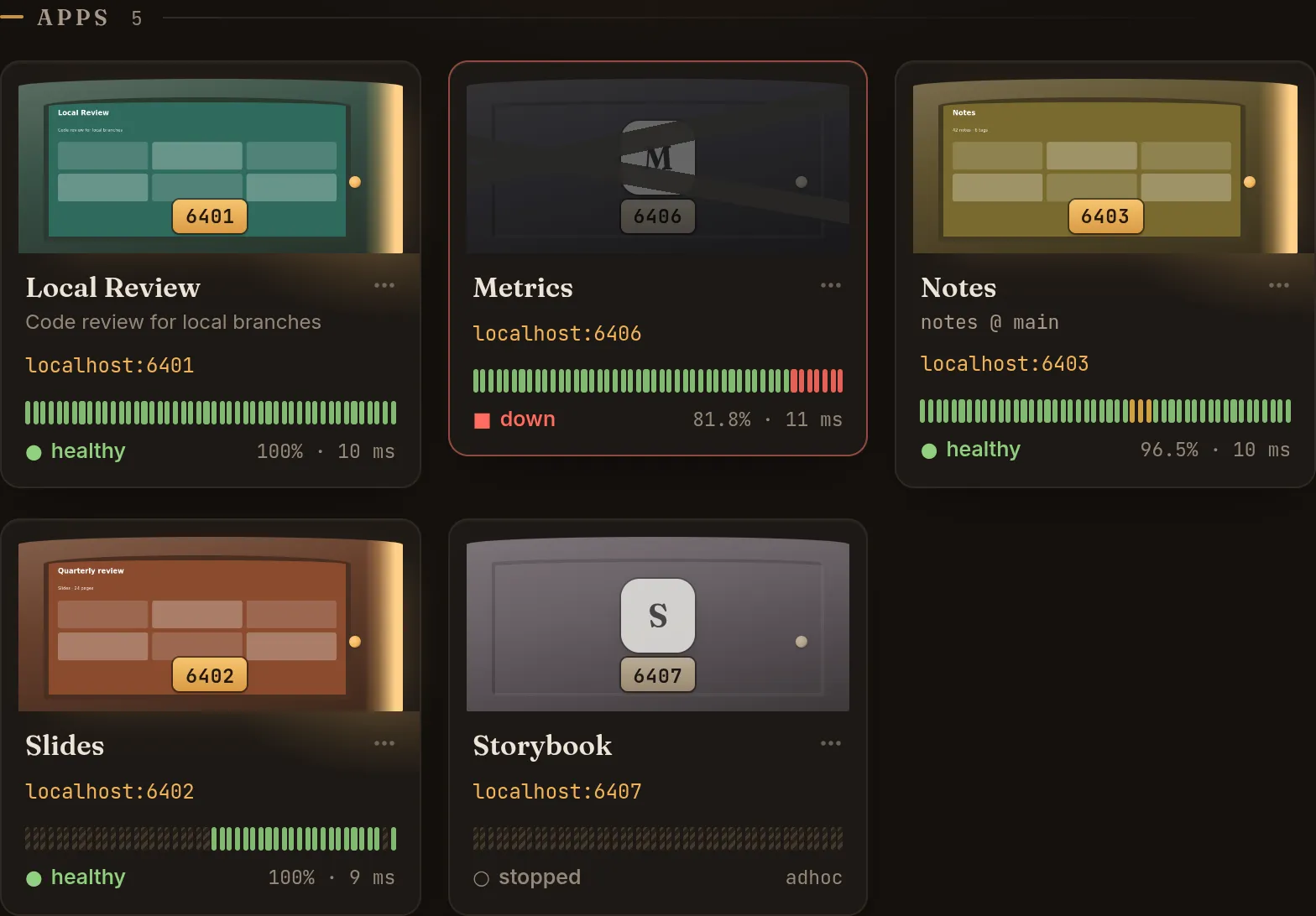
One page lists every app with its name, its port on a door-number plate, its health and 24 hours of uptime. Worktree siblings show as repo @ branch, so identical apps stop looking identical.
Something you stopped on purpose shows as a closed door, never as red. Only an app you said should be running can be down, and only then does the page (and its tab title) raise the alarm.
One small file per app and per bookmark group, in ~/.hallway. Edit one in your editor, or let an agent do it, and every open dashboard updates within a second.
Turn on fronted mode with hallway setup and every app gets https://<slug>.localhost with a locally trusted certificate, through Caddy running as you. No DNS server needed; your own domain, such as myname.internal, if you want one.
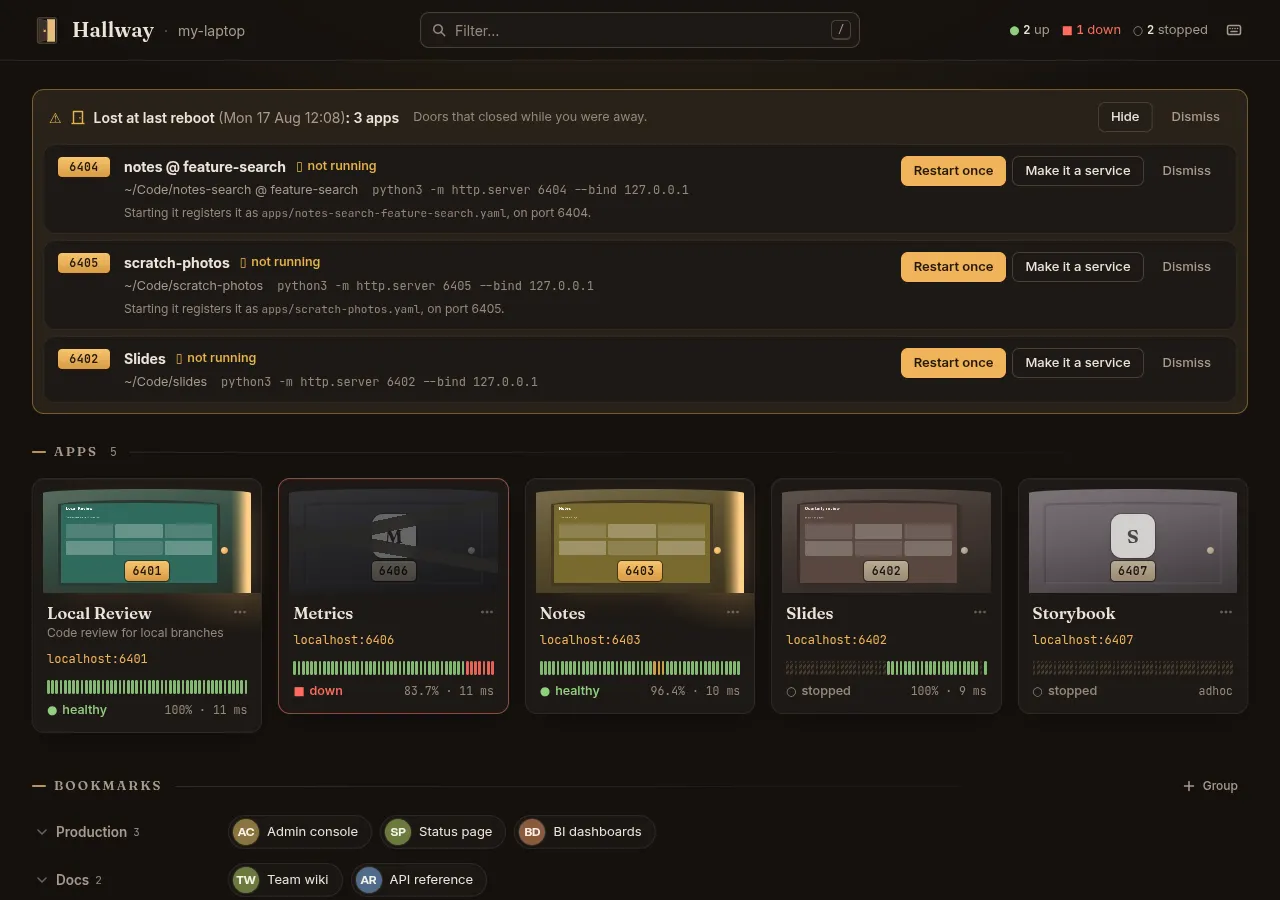
hallway run --persist makes the apps you care about native services (launchd on macOS, systemd on Linux, a scheduled task on Windows) that come back on their own. Everything else is remembered: after a restart Hallway lists what was lost, with one click to start each again.
How it works
The scanner turns “something has been listening on :4666 for nine days” into a row with a name, a directory, a branch and an age, flagged as orphaned when its session is gone. Claim it and it becomes an app, on the port it already uses. Or ignore it for good.
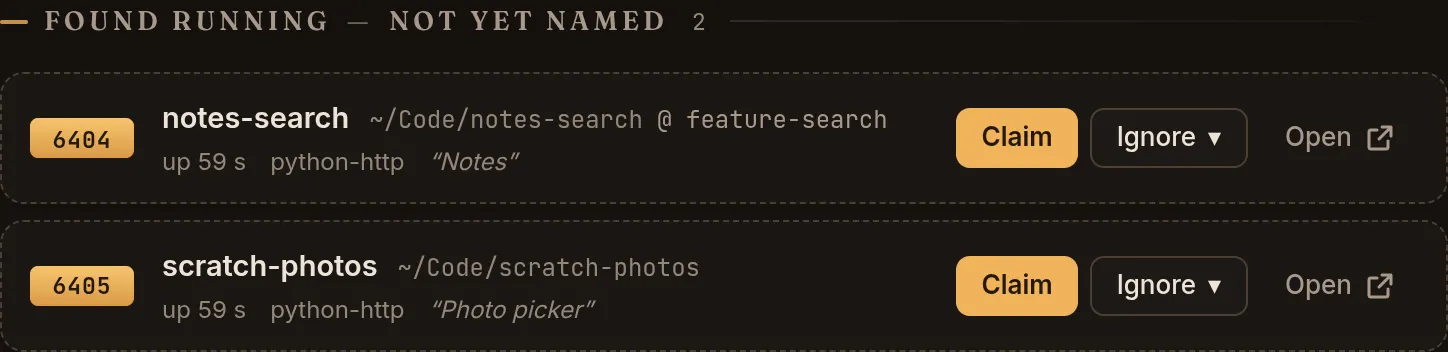
Each app is a door with a number plate: its port. Healthy apps stand ajar with a sliver of lamplight, and with hallway thumbs enable a screenshot of the app as the glass; stopped ones are simply closed; down ones go dark. Every state is also a shape and a word, so the picture is never the only clue.
Instead of a bare npm run dev, an agent runs hallway run. The server is handed to launchd (systemd on Linux, a scheduled task on Windows) so it outlives the session, keeps a stable port, and the command prints the URL and exits, so it never hangs a tool call.
After a restart, Hallway lists the servers that were running before it and didn’t come back, with where each ran from and the command that started it. Restart one once, make it a service that comes back at every login, or dismiss it.
In fronted mode, Caddy serves each app at https://<slug>.localhost with a certificate your machine trusts. Adding an app never needs sudo; the privileged steps are one guided hallway setup that prints every command before it runs.
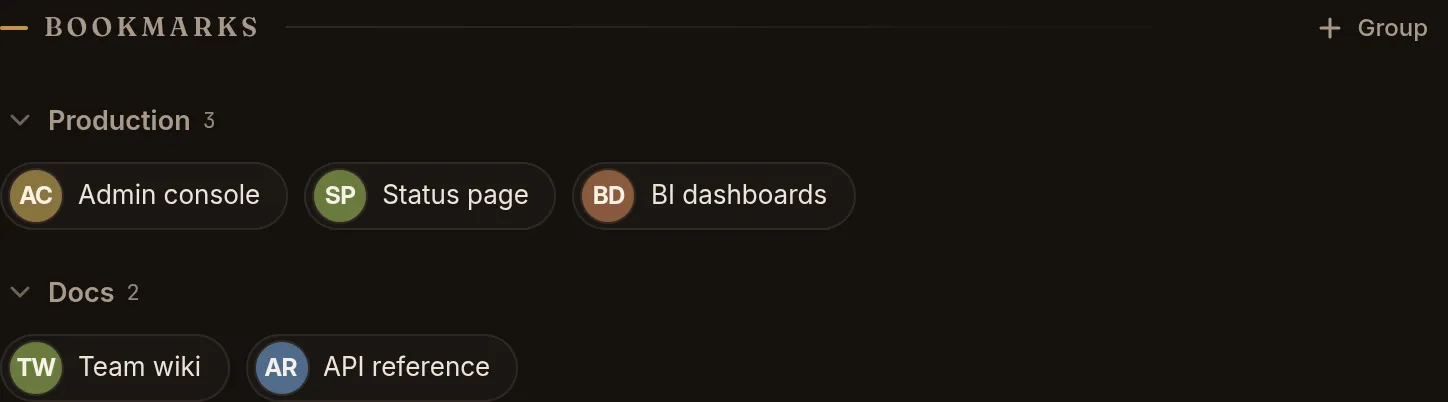
The remote things you always forget the URL of, such as admin consoles, BI dashboards and status pages, hang by the door as favicon chips in groups. They are inert: nothing is launched or checked.
Built for agent-spawned servers
Everything Hallway knows lives in small YAML files under ~/.hallway. Any coding agent that can edit a file can register an app or add a bookmark, and the dashboard updates live. No plugin, no API key.
hallway run <slug> -- <command> starts the server as a user service (launchd, systemd, or a scheduled task on Windows), waits for it to listen, prints the URL and exits.
hallway guide prints the agent guide, with live data, and hallway guide --snippet prints a short paragraph for your AGENTS.md or CLAUDE.md.
An MCP server on the same port (/mcp, or hallway mcp on stdio) describes apps and edits bookmarks, through the same write path as everything else. It never starts a process.
name: Slides
description: Quarterly review deck
port: 4321                  # never changed by Hallway
expected: adhoc             # up sometimes; off is fine

health:
  path: /

project:
  dir: ~/Code/slides

tags: [decks]
Available now
A dashboard of everything listening on your machine, health checks, bookmarks, a scanner that names what it finds and hallway run for servers that outlive the session. No proxy, no DNS and no sudo, on macOS and Linux, and on Windows best effort. Memorable HTTPS names are one guided hallway setup away, on macOS and Linux.
$ npm i -g hallway && hallway service installmacOS and Linux, and Windows best effort (no HTTPS names there, and not yet tried on a real Windows desktop). Node 22.13+. The second command runs Hallway at every login (a LaunchAgent on macOS, a systemd user unit on Linux, a scheduled task on Windows); then open http://localhost:4255. The first five minutes